
Schedule a Closing
|
Closings may be scheduled for loans with a status of Underwriting Cleared and after the CD has been acknowledged by the Borrower(s). |
Closing Details Tab
|
Step |
Action |
|
1 |
Click Loan Closing to open the menu and select Schedule Loan for Closing.
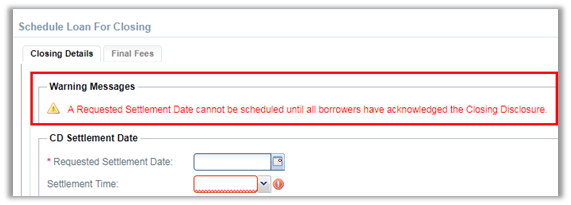
Note: Warning Messages will appear for issues that will not allow the loan closing to be scheduled.
|

|
2 |
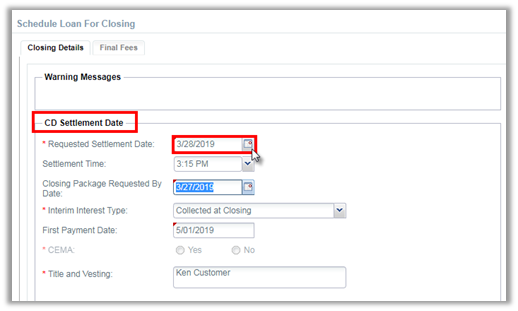
Complete the CD Settlement Date section.
Note: The Estimated Settlement Date will automatically populate the First Payment Date. |
|
3 |
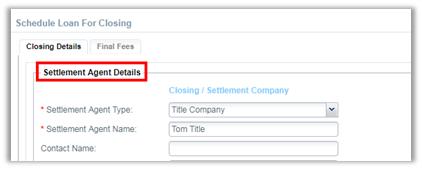
Review or enter *required information for the Settlement Agent.
|
|
4 |
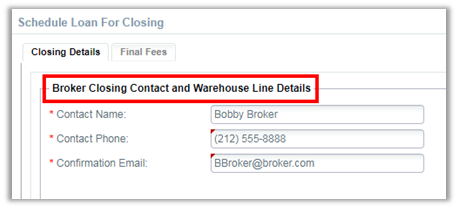
Review or enter *required information for the Broker Closing Contact.
|
Final Fees Tab
|
Step |
Action |
|
1 |
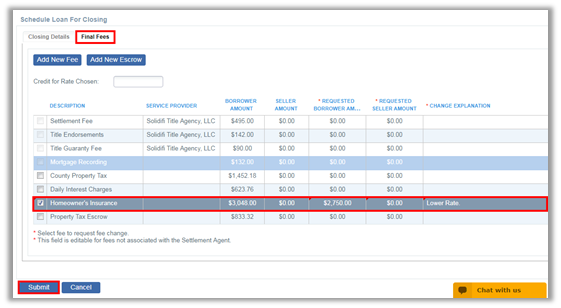
Review the Final Fees tab, make necessary adjustments, and click Submit.
|
|
2 |
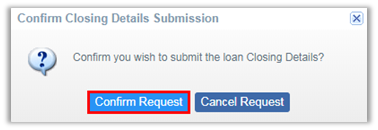
Click Confirm Request to submit the loan Closing Details.
|
|
3 |
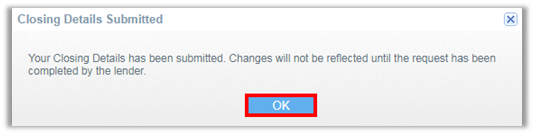
A pop up will confirm the Closing Details were submitted. Click OK.
|
Comments
0 comments
Please sign in to leave a comment.